
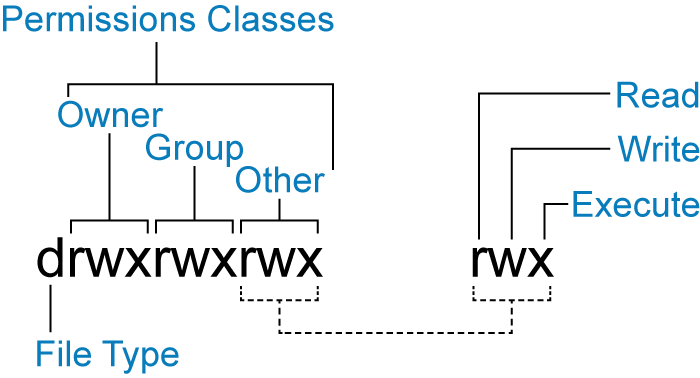
Linux – Permissions
In order to update and change file permissions, you can use the chmod command. The format of the command is as follows:
|
1 |
chmod [u, g, o] (+/- [r, w, x]) |
for each action
| VALUE | MEANING |
| rwx+ugo | No restrictions on permissions. |
| u+rwx,go+rx,go-x | The file’s owner may read, write, and execute the file. All others may read and execute the file. |
| u+rwx,og-rwx | The file’s owner may read, write, and execute the file. Nobody else has any rights. |
| ugo+rw,ugo-x | All users may read and write the file. |
| u+rw,u-x,go+r,go-wx | The owner may read and write a file, while all others may only read the file. |
| u+rw,u-x,go-rwx | The owner may read and write a file. All others have no rights. |